How To Stream Music via Bluetooth?Updated 4 months ago
To stream music via Bluetooth:
- Switch on Bluetooth on the device you will play music from (phone, computer…)
- Switch on heartbeat. The unit requires to be charged and the toggle above the word “heartbeat” has to be in the middle (low volume) or most right position (high volume).

- Press and release the Bluetooth button. Only for one second. Do not keep pressing the button down.
- Search on your phone’s Bluetooth menu for HUG and connect. The HUG unit will now act as a speaker for you to play your music via your streaming device/account. We must be patient at this step. Like bluetooth connections it takes a few minutes to show up. Again clicking or holding the button down will not be of use.

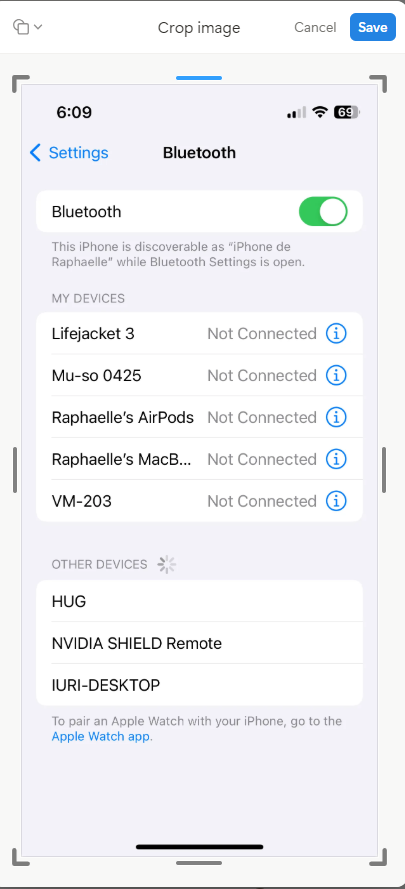
- Only 1 device can be connected to the HUG unit at any one time. If a coworker’s device was connected to the heart unit in the past and is in physical proximity, then the heart unit will not be able to be paired with another device. The coworker must check her bluetooth settings and disconnect the hug.
- Press and release the Bluetooth button to switch between modes. If you want to go back to playing music saved to the unit instead of Bluetooth.