How do I Add music to the HUG music player?Updated 4 months ago
Please note that when you buy a HUG there is no music stored on it – it’s all ready for you to add your own!
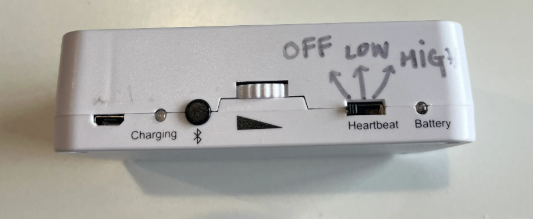
Switch on the heartbeat on the unit. The unit requires to be charged and the toggle above the word “heartbeat” has to be in the middle (low volume) or most right position (high volume).

Plug the USB cable provided into the unit and connect this to the USB port on your computer. Once plugged it the heartbeat should stop.
The unit shows as a ‘drive’ on your computer. On the below screenshot the heart unit appears as named untitled from my Apple Finder.
 Ask AI
Add your MP3 music files onto the drive. Simply drag and drop your audio file.
Once finished, eject safely from your computer and unplug the cable.
Switch the heartbeat off and on again, and the music will play.